
CRM features for sales teams
Atut CRM covers the whole sales process: from the first contact, through the offer and negotiation, to the results report. Here is everything that is in the system.
Sales pipeline
Sales pipeline: a stage board for every deal
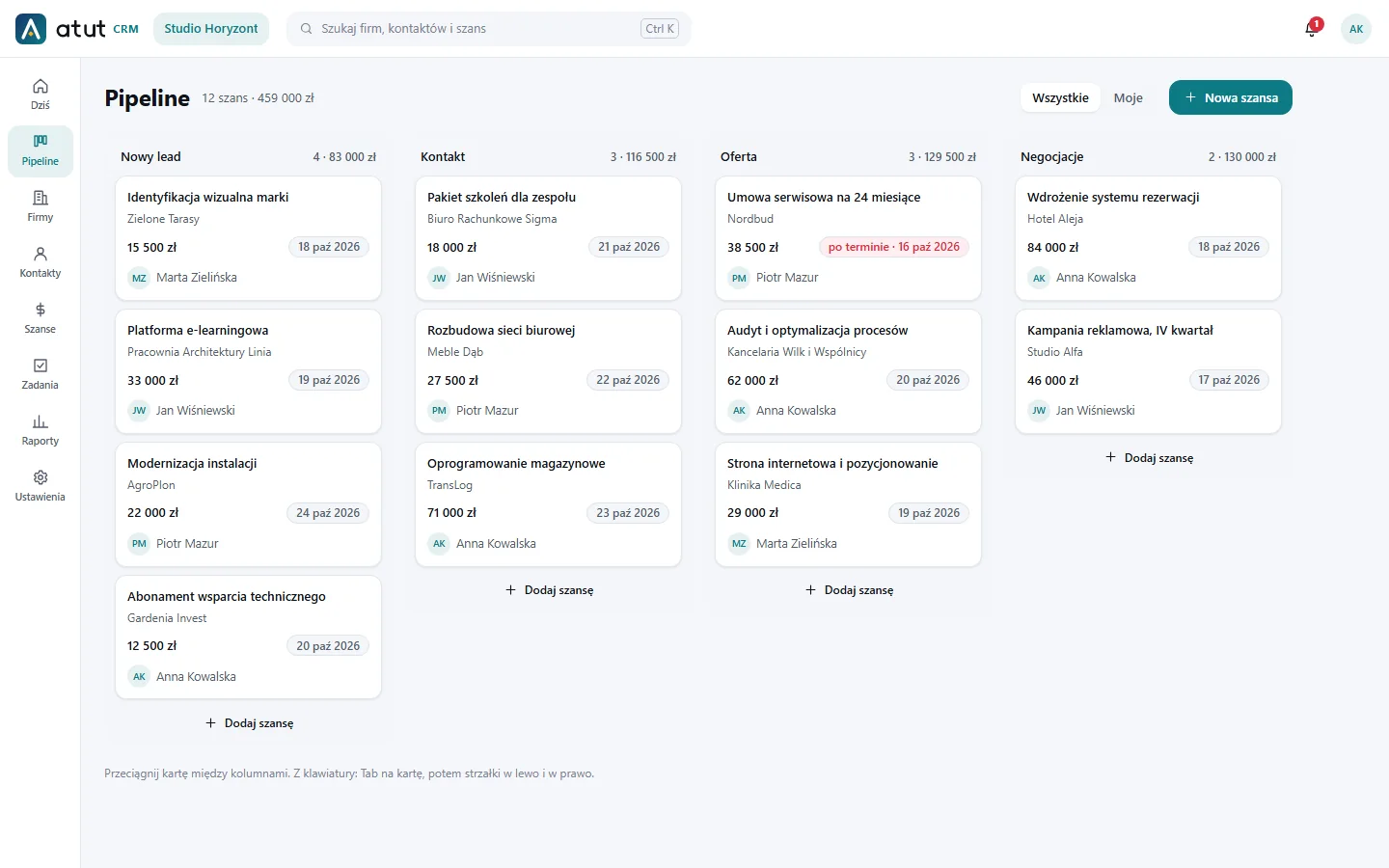
A sales pipeline is a view of all open deals grouped by stage. Atut CRM shows it as a board where you move cards between columns.
- You set the stages and their probabilities yourself in Settings, just like the deal sources
- A deal card shows the company, value, due date, owner and next step
- An overdue step is marked “overdue”
- Close as won or lost, with a reason that feeds the reports
- Pipeline value and a forecast weighted by stage probability
- On a computer you drag cards, on a phone you use the “Move to stage” button, and from the keyboard you use Tab and the arrow keys
Customer database
Customer database: companies and contacts with the full history
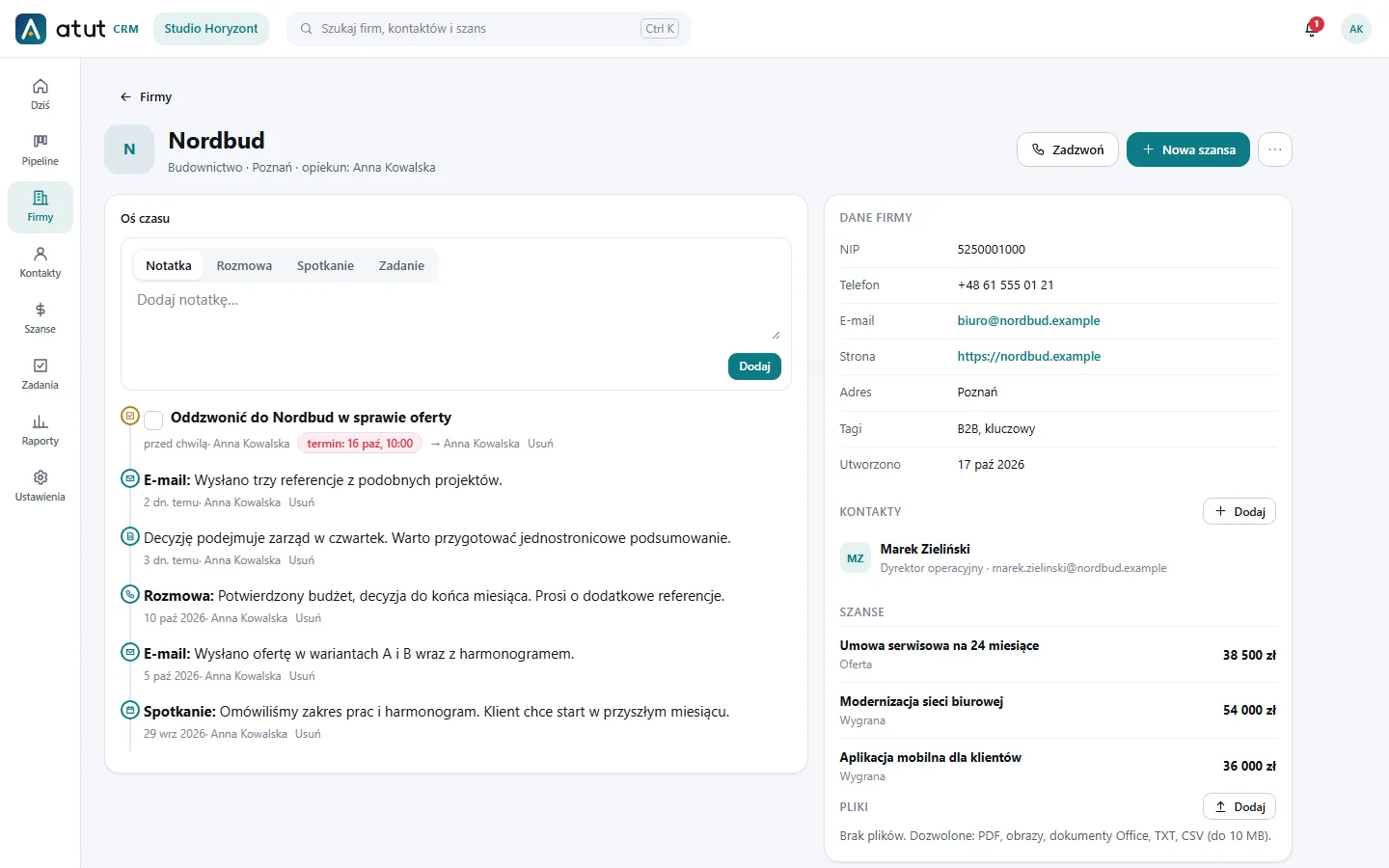
The customer database in Atut CRM consists of companies and contact people. Every record has a timeline, deals, tasks and files.
- Company: industry, city, address, tax ID, website, phone, email, tags, source and owner
- Contact: job title, details and the link to the company
- A timeline with notes, calls, meetings, emails and tasks
- Marketing consents with the date and source of the consent
- Attachments: PDF, images, Office documents, TXT and CSV (up to 10 MB)
- A Ctrl+K search across companies, contacts and deals, and a “Call” button on the company
Tasks and the “Today” dashboard
Tasks, reminders and the “Today” dashboard
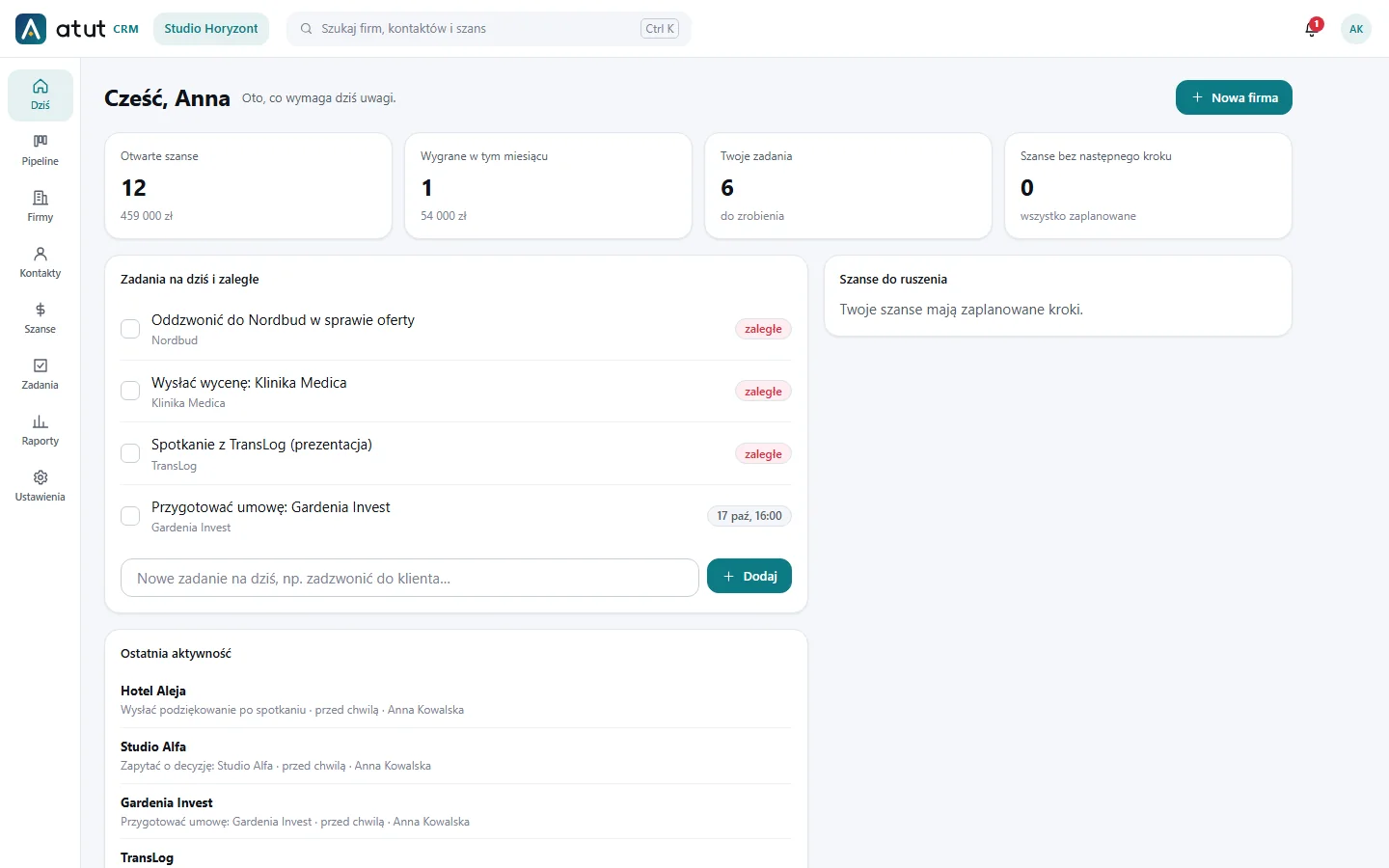
Tasks in Atut CRM have a due date and are linked to a company, contact or deal. The “Today” dashboard gathers what needs attention.
- Tasks due today and overdue on one screen
- Task reminders and notifications (the bell)
- Deals without a planned next step suggested on the dashboard
- Quick task entry in a single field
- A summary: open deals, wins this month, your tasks
Sales reports
Sales reports and forecast
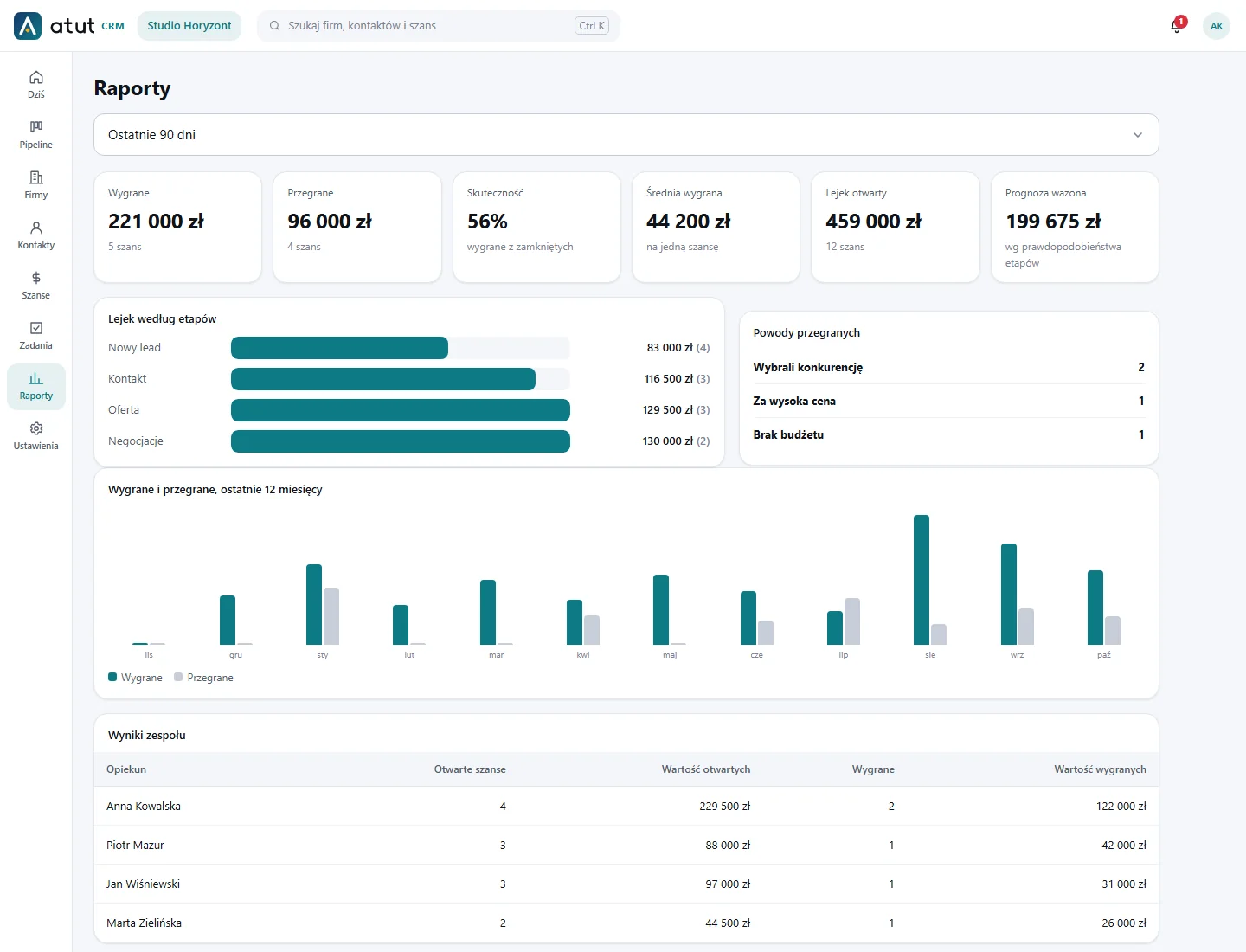
The reports show how much you sell, how effective the team is and how much you can close in the near future.
- Won, lost, win rate and the average value of a won deal
- Open pipeline and a forecast weighted by stage probability
- Funnel by stage and reasons for lost deals
- A chart of wins and losses over the last 12 months
- Team results by deal owner
- Choose the period: 30 days, 90 days, a year or all time
Team and permissions
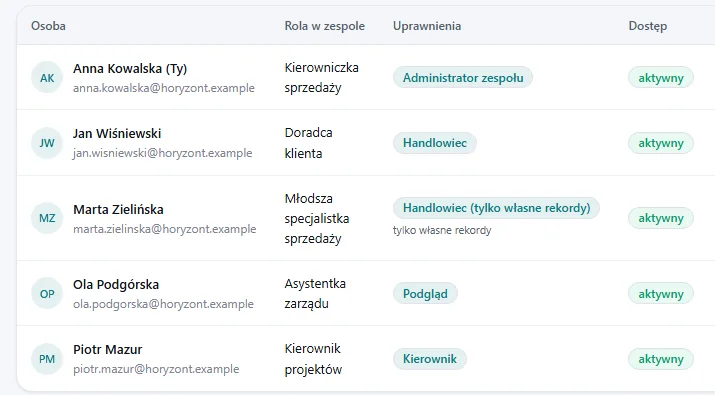
Team and permissions set separately for each person
Atut CRM has no rigid roles. You turn on specific permissions for each person, and the ready-made profiles are only a shortcut.
- Separate switches: add and edit, delete, reports, import, export, team, settings and the event log
- Record scope: everything or only their own
- Ready profiles: team administrator, manager, salesperson, salesperson with own records only, view only
- An optional team role such as “Sales manager”, independent from permissions
- A seat limit matching the licence, and protection against removing the last person who manages the team
- Email invitations for own organisations and adding Connect accounts
On your phone
CRM on Android and iPhone
Atut CRM works on Android phones and iPhones. The phone layout is separate: you open the system in the browser or add an icon to your home screen.
- Bottom navigation, menus and dialogs as bottom sheets, lists as labelled cards
- The phone number as a “call” link, 16 px fields and large touch targets
- A pipeline you swipe through, with a button to move a deal
- Pull down to refresh a list
- A home-screen icon (Android, iPhone) and its own window without the browser bar
- Offline you see a “No connection” screen; customer data is not stored in the browser cache
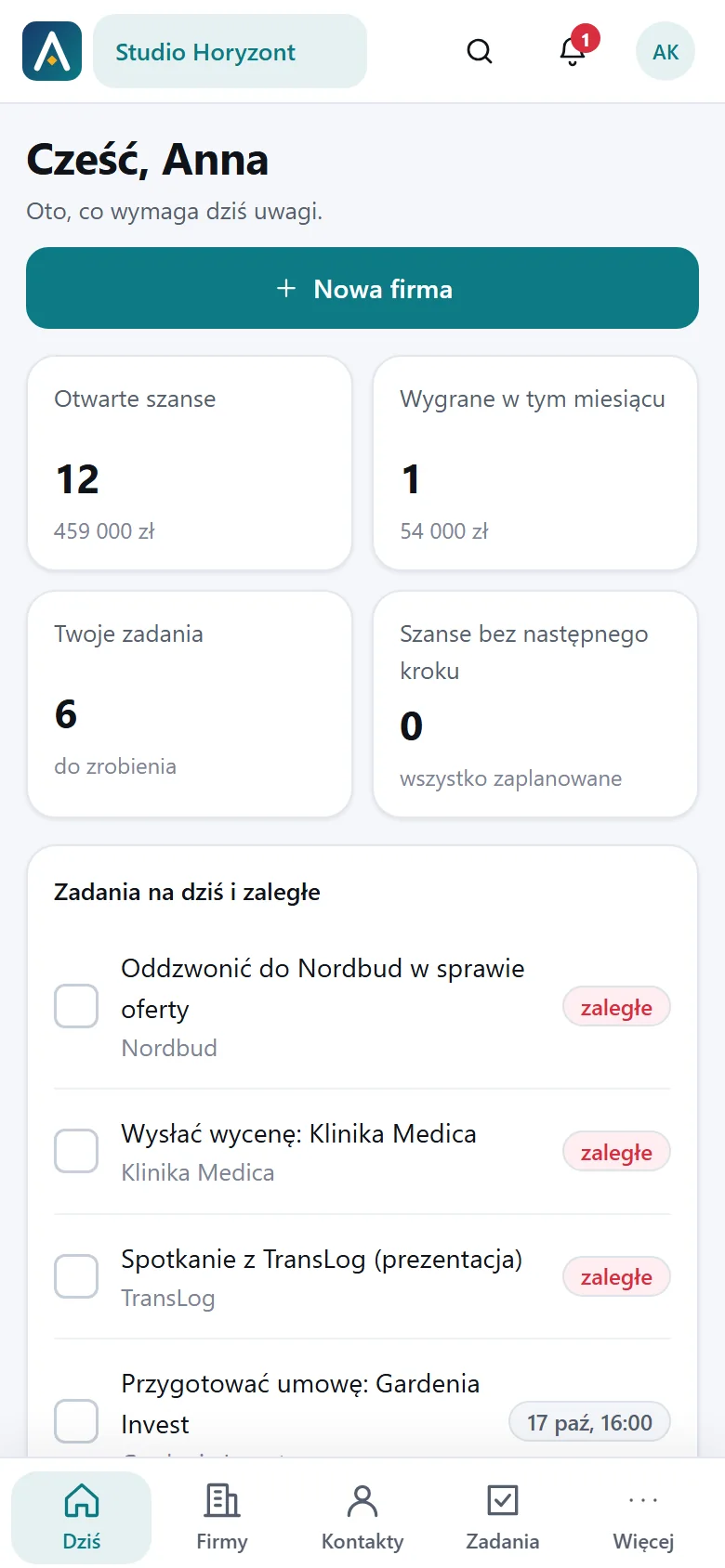
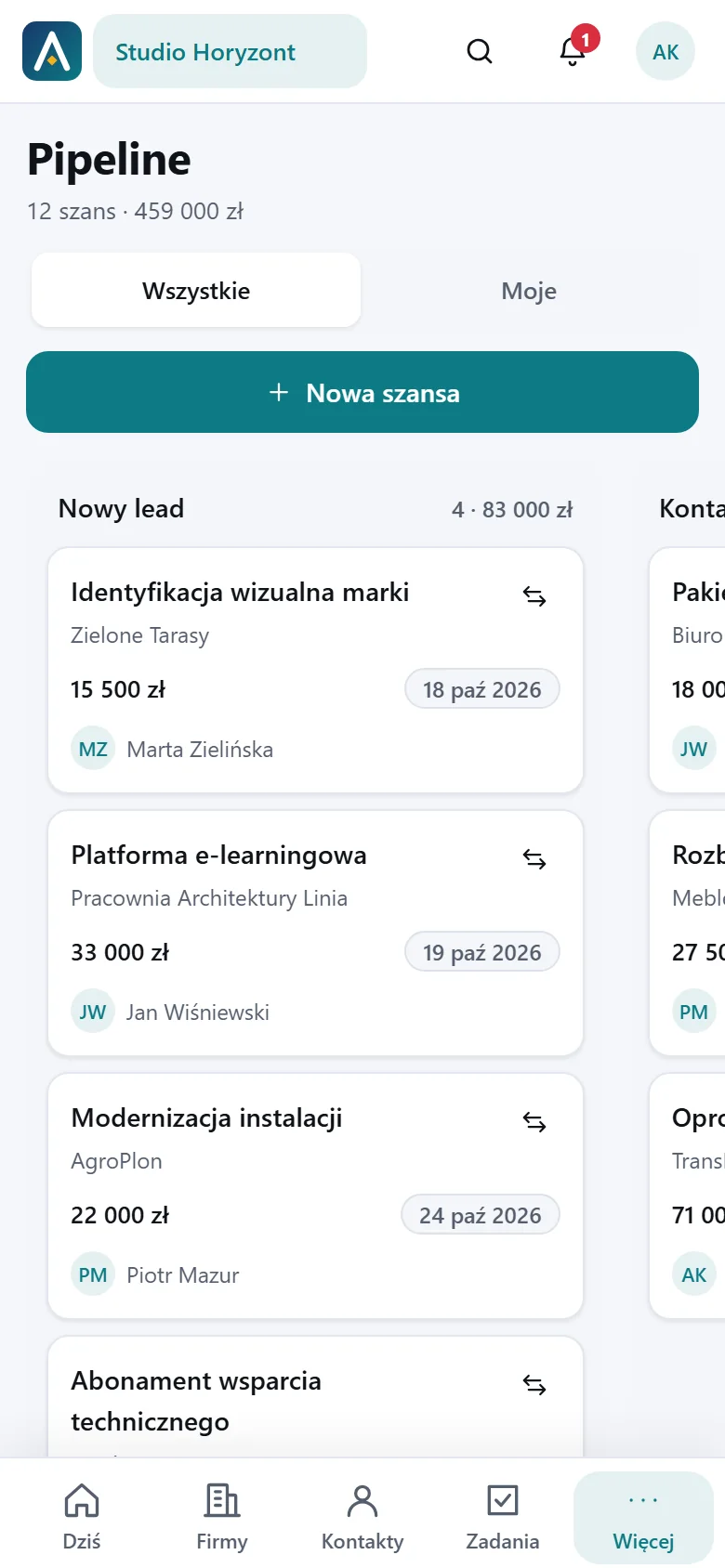
Screenshots come from a demo environment with sample data. The application interface is currently in Polish.
More capabilities
Import, search, sign in and protect passwords
Smaller features that save the most time day to day.
CSV import and export
Load companies and contacts from a CSV file with a preview before saving. Export your data to CSV, with protection against formula injection into the spreadsheet. Export is available to people with the permission.
Search and notifications
The Ctrl+K shortcut opens a search across companies, contacts and deals. The bell tells you about deals assigned to you and task reminders.
Sign in with Connect or a QR code
Sign in with email and password or with a Partnerit Connect account (SSO). “Remember me” works for up to 30 days on at most five devices, and Connect accounts on a computer confirm a resumed session with a QR code from the phone.
Team password vault (optional)
A plug-in for organisations where the system administrator enables it: an encrypted password vault with roles, a personal PIN, IP address control and an access log.
Comparison
Atut CRM or a spreadsheet?
A spreadsheet is enough at the start. Once more people work in sales, it lacks customer history, reminders and access control.
| Need | Spreadsheet | Atut CRM |
|---|---|---|
| Customer contact history | Comments and separate tabs | A timeline on every company and contact |
| Next step and reminders | Manual columns and colours | Step due date, tasks, notifications and the “Today” dashboard |
| Pipeline and forecast | Your own formulas and pivot tables | A stage board and a weighted forecast in reports |
| Teamwork | A shared file, no access scopes | Per-person permissions and an “own records only” scope |
| Phone | An awkward spreadsheet on a small screen | A dedicated layout for Android and iPhone, with a home-screen icon |
| Consents and personal data | Consents and deletions handled by hand | Consents with date and source, anonymisation, personal data export |
| Change trail | File version history | An event log: who changed what and when |
Get your sales organised before your competitors do
Create an account and use Atut CRM free for 30 days. Your team can start working today.